

You’ve packed up your WordPress site, waved goodbye to your old host, and landed safely on new digital turf. But before you pop the champagne, there’s one crucial step many skip, the post-migration audit. This isn’t just a techy afterthought; it’s the secret sauce to making sure your shiny new setup doesn’t hide broken links, missing images, or a nosedive in SEO rankings.
Think of your site migration like moving to a new house. Sure, your stuff made it across town, but is the fridge running? Are the lights working? Did your favorite mug survive the trip? A thorough post-migration audit checks under the digital hood, making sure every plugin, permalink, and pixel is playing nice in its new environment.
In this post, we’ll break down why this often-overlooked process can make or break your site’s performance after migration, and how skipping it could leave your visitors (and Google) stumbling in the dark. Let’s get your WordPress site truly settled.
What Is a Post-Migration Audit?
A post-migration audit is a comprehensive review conducted after the completion of a data, system, or infrastructure migration to ensure that the process was successful, secure, and met its objectives. This audit verifies the integrity, accuracy, and completeness of the data or system components that were migrated, ensuring that no information was lost, corrupted, or improperly transferred.
It also assesses whether the new environment functions as expected, meets performance benchmarks, and aligns with compliance and security requirements. Key elements of a post-migration website audit include:
- comparing pre- and post-migration system states,
- validating data through sample checks or automated tools,
- and identifying any discrepancies or issues that need resolution.
Additionally, the audit reviews documentation, change management logs, and user feedback to evaluate the overall quality and reliability of the migration process. Conducting a thorough post-migration audit helps organizations catch and correct errors early, optimize system performance, and assure stakeholders that the migration was conducted professionally and securely.
It is a critical step in IT governance, particularly in cloud migrations, system upgrades, or transitions between platforms, where data integrity and business continuity are paramount. Ultimately, a post-migration audit lays the groundwork for long-term system stability and efficiency.
Why is this essential?
A post-migration audit is essential because it acts as a safeguard against potential risks and ensures the long-term success of a migration project. Migrations, whether involving data, applications, or entire IT systems, are complex processes that carry the risk of data loss, corruption, downtime, or misconfiguration.
Without a thorough audit, these issues might go unnoticed until they cause significant operational disruptions, financial losses, or compliance violations. By systematically verifying that all components were correctly migrated and are functioning as intended, the audit provides confidence in the reliability of the new environment. It also helps identify any gaps or oversights in the migration plan, allowing for timely remediation before they escalate into larger problems.
From a compliance perspective, many industries require proof that data has been handled securely and remains intact during transitions, making the audit not only a best practice but sometimes a legal necessity. Furthermore, a post-migration audit offers valuable insights that can be used to improve future migrations, enhancing organizational resilience and agility.
It demonstrates due diligence to stakeholders, reduces the likelihood of costly errors, and supports a smoother adoption of new systems or technologies by ensuring they are fully operational and optimized. In essence, it turns a completed migration into a verified success.
The Risks of Skipping a Post-Migration Audit
Let’s explore some of the risks of skipping a post-migration audit. Some of these risks include SEO damage, user experience issues, and functionality failures. Dive into more details below.
SEO Damage
Skipping a post-migration audit after a website migration can lead to significant SEO damage that may take months to recover from. When a site changes, whether it’s a platform switch, such as a WordPress migration, a redesign, or a domain change, every element must be meticulously checked against a comprehensive WordPress migration checklist.
Without this crucial step, issues like broken links, incorrect redirects, missing metadata, and crawl errors can go unnoticed, severely affecting SEO performance. A staging site should be thoroughly tested prior to going live, but the job doesn’t end there.
Once the new site is live, a post-migration audit ensures that search engines can properly index and rank your content. Failing to monitor metrics through tools like Google Analytics and Google Search Console post-launch means you’re flying blind: unable to detect dips in traffic, crawl issues, or visibility drops until it’s too late.
These tools offer insights that can quickly highlight migration errors, such as traffic loss to key pages or indexing problems. Ultimately, skipping the audit increases the risk of losing rankings, organic traffic, and overall visibility in search engines. A thorough post-migration audit is not optional; it’s an essential safeguard to preserve your hard-earned SEO equity and ensure your site’s performance remains strong in the eyes of both users and search engines.
User Experience Issues
Skipping a post-migration audit can pose significant risks to user experience, which can ultimately compromise the success of the entire migration project. When systems, data, or applications are moved to new environments, whether cloud platforms, upgraded software, or different infrastructure, undetected issues often emerge.
These may include broken links, missing data, access permission errors, or misconfigured interfaces. Without a thorough post-migration audit, such problems can go unnoticed until users encounter them firsthand, leading to frustration, increased support requests, and diminished trust in the system.
Additionally, performance inconsistencies, like slower load times or unresponsive features, may surface if the new environment isn’t properly optimized. These disruptions can hinder productivity, especially if critical functionalities are impacted. For customer-facing systems, the consequences can be even more severe, including a drop in user retention, negative reviews, or revenue loss due to poor usability.
Moreover, internal teams may struggle to pinpoint and resolve issues quickly without a comprehensive audit trail, prolonging downtime or degrading service levels. A post-migration audit helps ensure that all systems are functioning correctly, that data integrity has been preserved, and that security settings align with organizational policies.
By validating that the new environment performs as intended, organizations can deliver a seamless transition, maintain user satisfaction, and safeguard their operational continuity. Skipping this vital step is a gamble few businesses can afford.
Functionality Failures
Skipping a post-migration audit after completing the site migration process can lead to serious functionality failures that disrupt the performance and integrity of your entire site. Even if you’ve followed a thorough website migration checklist, issues can still arise once the new environment is live.
For instance, forms may stop working, plugins or scripts might conflict, and interactive features could malfunction, especially in a WordPress website with multiple third-party integrations. These failures not only hinder user engagement but can also prevent essential functions like lead capture, e-commerce transactions, or customer support tools from operating correctly.
Additionally, changes during migration can inadvertently impact site speed, either due to unoptimized assets or server misconfigurations. A slow-loading site frustrates users and can negatively influence SEO rankings, reducing visibility and traffic.
Furthermore, missing redirects or incorrect URL structures can result in broken links, affecting both user experience and search engine indexing. These problems often go unnoticed without a detailed post-migration review. By neglecting this crucial step, businesses risk undermining the effectiveness of the entire site, despite having invested time and resources into the site migration process.
A post-migration audit ensures every item from the website migration checklist has been properly executed and verified. Thus, safeguarding functionality and ensuring your WordPress website performs optimally in its new environment.
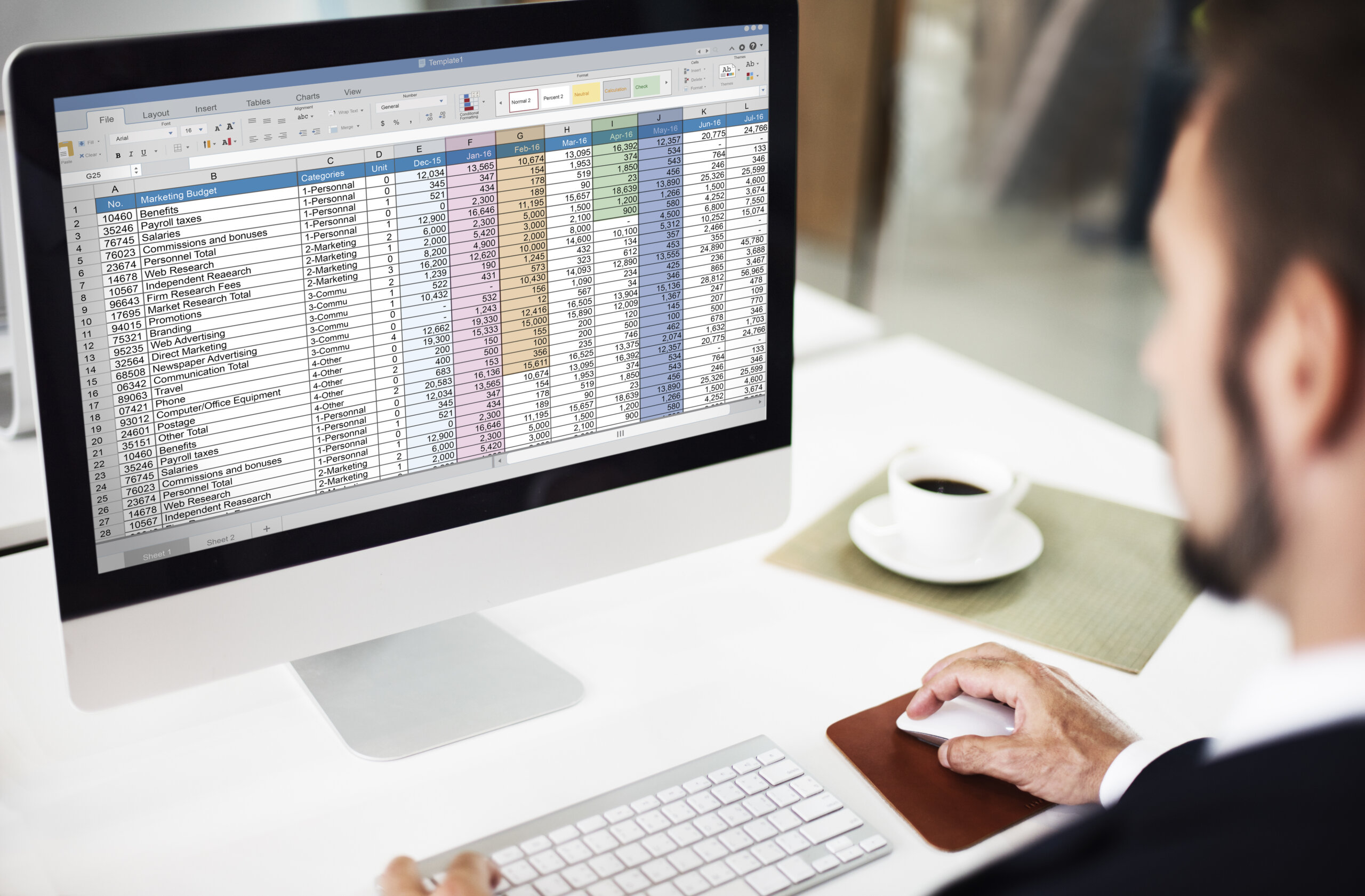
Your Post-Migration Audit Checklist
Let’s explore a post-migration audit checklist to implement the next time you move your site to WordPress. Some key things to remember on your post WordPress migration checklist is technical checks, SEO checks, along with design and content integration. Finally, functional testing is very important. Dive into more details below.
Technical Checks
A successful domain migration doesn’t end the moment your new site goes live. It’s crucial to follow a detailed post-migration checklist to ensure everything functions correctly and your SEO remains intact. One of the first steps is reviewing the site structure to confirm that it mirrors your strategic goals and hasn’t been unintentionally altered during migration.
Compare the new site against the old site to identify discrepancies in internal linking, navigation, and content layout. Ensure the XML sitemap is updated and submitted to search engines, reflecting only the URLs of the current site. This helps facilitate proper indexing and allows search engines to understand the changes resulting from the domain migration.
Check all 301 redirects from the old site to the new site to avoid broken links and lost traffic. It’s also essential to verify that canonical tags point to the correct versions of URLs on the live site, not the staging or old site environment.
Use tools like Google Search Console to monitor crawl errors, indexation, and traffic fluctuations post-launch. A thorough post-migration checklist will help catch any issues early, minimizing disruption and ensuring the current site gains search visibility quickly. In short, double-check every technical detail to make your new site migration a seamless success.
SEO checks
A comprehensive SEO site migration checklist is essential to preserve your search engine rankings and ensure smooth transitions during a website overhaul. After launching the new website, it’s critical to audit every element that could impact visibility and site performance.
Start by verifying that all URLs from the old site are properly redirected to their new counterparts using 301 redirects, ensuring search engine crawlers can seamlessly index your content. This includes checking both legacy and new pages for crawl errors or broken links.
Your seo migration checklist should also assess the status of external links pointing to your old domain, make sure they now resolve correctly to the new structure. Monitor your rankings and traffic metrics closely to identify any sudden drops that may indicate unresolved issues.
Also, update your XML sitemap and robots.txt files to reflect the new website architecture, guiding search engine crawlers efficiently. Conducting a thorough post-migration audit ensures that all SEO elements, from technical infrastructure to on-page content, remain intact and optimized.
This not only protects your existing search engine rankings but also positions your new website to improve site performance and organic visibility. Skipping this step can result in lost traffic, poor indexing, and damage to long-term SEO success.
Design & Content Integrity
A thorough post-migration audit is essential to ensure the design and content integrity of your website remains intact after a platform or system migration. Begin by reviewing page layouts and visual elements across devices to confirm design consistency. Design consistency in fonts, colors, images, spacing, and responsive behavior should match the original site or meet the new design specifications.
Use tools like browser dev tools or automated scanners to identify broken links, missing media, or layout issues that may have occurred during the migration process. Equally important is the content audit: verify that all textual content, metadata, and SEO-critical elements such as headings, alt tags, and internal links have been properly transferred.
Check for formatting errors, missing sections, or duplication. It’s also wise to compare the staging and live environments to catch any last-minute discrepancies. Conduct user testing to ensure navigation flows logically and key actions (e.g., form submissions, CTAs) work as expected.
Validate analytics tracking and conversion tools are firing correctly, as these often get overlooked. A meticulous checklist not only helps identify design or content gaps but also ensures a smooth user experience, maintains brand integrity, and preserves search engine rankings in the aftermath of migration.
Functional Testing
Functional testing is a critical component of your post-migration audit checklist, ensuring that all features and interactive elements of your website perform as intended after a move to a new platform or environment. Begin by thoroughly testing all user-facing functionalities, such as forms, login portals, shopping carts, search functions, filters, and interactive content.
Each feature should be tested across major browsers and devices to validate consistency and compatibility. Pay special attention to dynamic elements like dropdowns, sliders, and buttons, ensure they respond correctly to user actions and do not generate errors or unexpected behaviors.
Additionally, backend processes such as content management workflows, user permissions, and automated notifications (like email confirmations or password resets) must be checked for proper operation. Integrations with third-party services, such as payment gateways, CRM platforms, marketing tools, and analytics, should also be tested to verify data flows correctly between systems.
Don’t overlook error handling and validation messages; they should be clear, helpful, and triggered appropriately when users enter invalid data. It’s recommended to test common user journeys end-to-end, such as account creation through to checkout, to uncover any friction points.
Logging and monitoring systems should also be reviewed to ensure any future issues can be quickly identified. Functional testing helps safeguard the usability and reliability of your site post-migration, ensuring a seamless experience for both users and administrators.
Tools to Help You Audit Your WordPress Site
Let’s explore some tools to help you audit your WordPress site; some of these include crawling and SEO tools. Moreover, browser developer tools, WordPress plugins, and performance testing. Dive into further details below.
Crawling and SEO Tools
Auditing your WordPress site is essential for maintaining optimal performance, user experience, and search engine visibility. Utilizing crawling and SEO tools can significantly streamline the auditing process and uncover issues that might otherwise go unnoticed. Crawling tools like Screaming Frog SEO Spider, Sitebulb, and DeepCrawl systematically scan your website to identify broken links, missing metadata, duplicate content, slow-loading pages, and crawlability issues. These tools mimic how search engines navigate your site, providing a comprehensive snapshot of your technical SEO health.
Screaming Frog, for instance, allows users to export data for deeper analysis, while Sitebulb presents insights through intuitive visuals, making it easier to prioritize and fix problems. In parallel, SEO tools such as Ahrefs, SEMrush, and Google Search Console offer powerful analytics for understanding keyword rankings, backlink profiles, site traffic, and performance trends. Google Search Console is especially valuable for detecting indexing issues and tracking how your site appears in search results.
Ahrefs and SEMrush also provide competitive analysis features, enabling you to benchmark your site’s SEO against others in your niche. Together, these tools help pinpoint on-page and off-page SEO shortcomings, uncover content gaps, and guide your content strategy.
When used regularly, they ensure your WordPress site remains optimized for both search engines and users. By combining technical crawlers with SEO performance tools, you gain a holistic view of your website’s strengths and weaknesses, allowing for strategic improvements that boost visibility, enhance user experience. Ultimately, drive more traffic and conversions. Regular audits using these tools are a cornerstone of long-term digital success.
Browser Developer Tools
Browser developer tools are powerful, built-in utilities available in most modern web browsers that play a crucial role in auditing and optimizing your WordPress site. These tools, accessible in browsers like Google Chrome, Firefox, Safari, and Edge: allow you to inspect the HTML, CSS, and JavaScript that make up your site in real time.
One of the most valuable features is the “Elements” panel, which enables you to examine the structure of your webpages, troubleshoot layout issues, and experiment with design changes without altering your actual site code.
The “Console” is another critical component, providing error messages and warnings that help identify JavaScript issues, failed resource loads, or deprecated code that could impact performance or user experience. The “Network” tab lets you monitor all the resources your site is loading, images, scripts, fonts, etc., and measure how long each one takes to load. This is especially useful for diagnosing performance bottlenecks and optimizing load times.
Additionally, the “Performance” tab can help you analyze page speed in more detail, showing how long different site elements take to render. For mobile optimization, developer tools let you simulate different screen sizes and devices, helping ensure a responsive design across platforms. You can also inspect applied CSS rules and debug style conflicts that might affect layout or visibility.
Altogether, browser developer tools are indispensable for front-end auditing, offering immediate insights and hands-on testing capabilities. When used in conjunction with other SEO and performance tools, they provide a detailed and dynamic picture of your WordPress site’s technical health and usability.
WordPress Plugins
WordPress plugins offer a convenient and effective way to audit your site directly from the dashboard, eliminating the need for external software or technical expertise. These plugins are designed to scan your site for performance issues, SEO optimization, security vulnerabilities, and more, making them essential tools for ongoing website health checks. One of the most popular auditing plugins is Yoast SEO, which provides real-time analysis of your content’s readability and SEO-friendliness. Also, including keyword usage, meta descriptions, and internal linking.
Another powerful tool is WP Checkup, which runs comprehensive scans covering performance, security, and SEO, presenting the results in a clear and actionable report. For performance audits, Query Monitor allows developers to debug slow database queries, theme and plugin conflicts, and PHP errors.
If you’re concerned about broken links or missing images, Broken Link Checker automatically scans your content and alerts you to any issues, preventing a poor user experience and potential SEO penalties. For those managing larger sites or multiple installs, Site Health Check, a tool built into WordPress itself: offers useful insights into your site’s technical condition, highlighting outdated plugins, misconfigurations, and server-related problems.
Using plugins not only simplifies the auditing process but also allows for scheduled scans and automated alerts, helping you stay ahead of potential issues. With the right combination of plugins, you can cover all key aspects of site auditing, SEO, performance, security, and usability, directly from your WordPress dashboard. Ultimately, ensuring your site remains fast, accessible, and optimized for users and search engines alike.
Performance Testing
Another key aspect of the post-migration process is performance testing. After moving the site to a new hosting provider, upgrading the server, or transitioning to a different environment, such as a cloud platform. It’s critical to ensure that the website performs optimally under actual user conditions. Performance testing helps identify issues like slow page load times, broken scripts, unoptimized database queries, or conflicts between plugins and themes that may have arisen during the migration.
This involves running tools such as GTmetrix, Google PageSpeed Insights, or LoadImpact to simulate traffic and measure how quickly pages load, how the server responds under pressure, and whether caching mechanisms are functioning correctly. A thorough performance test also ensures that essential WordPress features, such as admin dashboard responsiveness, WooCommerce checkout processes, or contact form submissions, continue to work smoothly. This testing phase allows developers to spot and resolve problems before users experience them, helping to avoid disruptions, higher bounce rates, or drops in SEO rankings.
Moreover, it’s an opportunity to optimize performance by implementing CDN integration, adjusting image compression, or enabling lazy loading and object caching. In some cases, performance testing may even uncover hosting limitations that weren’t apparent before migration. By incorporating this step into the post-migration workflow, WordPress site owners can ensure a seamless user experience. Ultimately, protect site integrity and fully leverage the capabilities of the new environment.

TL;DR: Reiterating the post-migration audit for WordPress site migration
Migrating your WordPress site is a big achievement, but it’s only the halfway mark. Without a thorough post-migration audit, even the slickest relaunch can quietly crumble under the weight of broken links, lost SEO, and performance issues that slip through the cracks.
If there’s one takeaway, it’s this: never assume a move means you’re done. The real magic happens after the migration, when you dig deep, fine-tune, and make sure everything is working exactly as it should.
Because what’s the point of a shiny new home if the doors don’t open and the lights don’t turn on?
At Acclaim, we’ve seen what happens when audits are skipped, and we know how to fix it before it becomes a problem. If you’re ready to bulletproof your site’s performance and protect your investment, drop us a line. Our expert website audit services are built to catch what others overlook, so your WordPress site doesn’t just survive the move… it thrives.