
Eye-tracking technology has transformed the way we understand user behavior on websites, providing valuable insights into what captures visitors’ attention and what goes unnoticed. By analyzing where users’ eyes land and how they navigate a page, businesses can strategically design layouts, refine content placement, and enhance calls to action to guide users smoothly through their online journey.
In this blog post, we’ll dive into the science behind eye tracking, exploring how it works and the fascinating patterns it uncovers about user behavior. From the F-pattern and Z-pattern reading styles to the power of visual hierarchy, you’ll discover how subtle design tweaks can significantly impact engagement and conversions.
Whether you’re a web designer, marketer, or business owner, understanding these principles can help you craft more effective and user-friendly websites. Let’s explore where users really look when they visit your site!
What Is Eye Tracking?
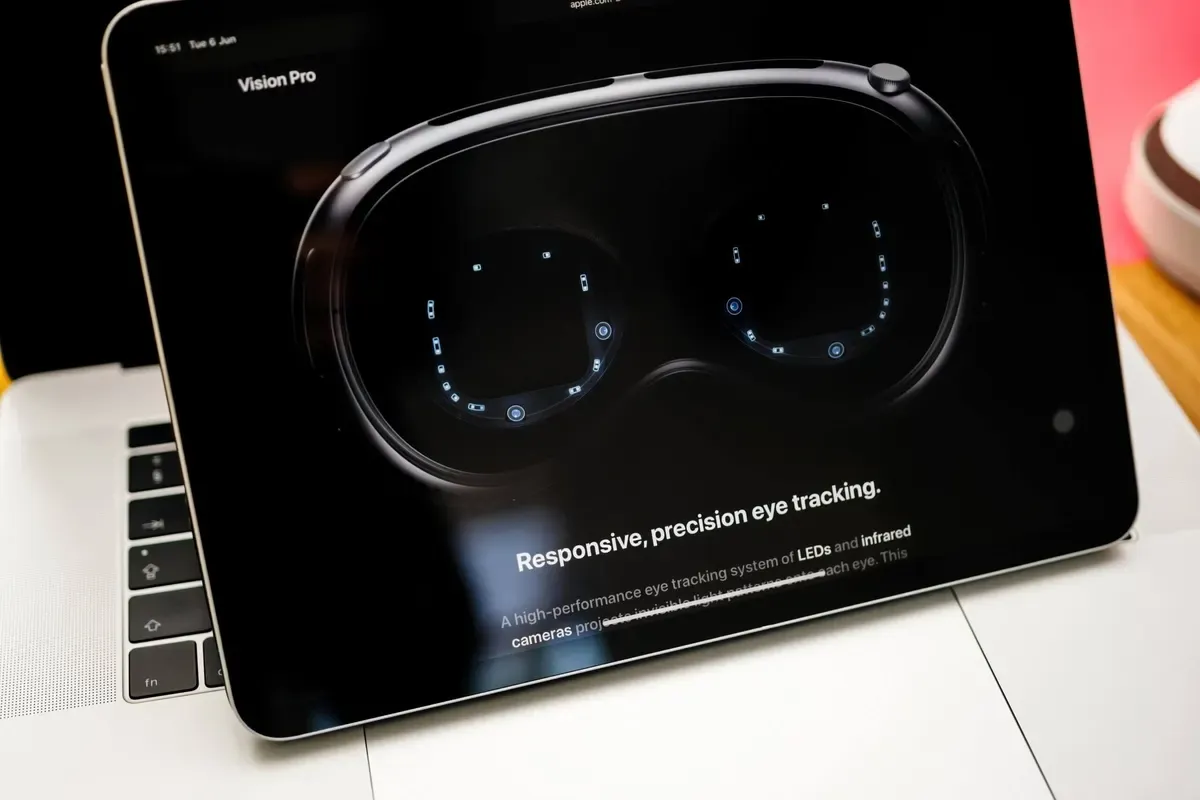
Eye tracking in the context of websites is a technology used to analyze how users visually interact with a webpage. It tracks eye movements, fixation points, and gaze patterns to understand where users focus their attention, how they navigate content, and what elements they ignore. This data helps designers and marketers optimize website layouts, ensuring that key information, such as headlines, calls-to-action, and navigation menus, are strategically placed to enhance user experience and engagement.
Eye tracking studies often reveal insights into user behavior, such as the F-pattern or Z-pattern reading habits, which influence how content is structured for readability and conversions. Businesses use this technology to refine website designs, reduce bounce rates, and improve accessibility by making interfaces more intuitive.
By understanding what captures user attention, companies can create visually appealing, user-friendly websites that effectively guide visitors toward desired actions, such as making a purchase or signing up for a service. This data-driven approach leads to higher usability and improved website performance.
Types of eye tracking studies
Let’s explore some different types of eye-tracking studies:
- Tobii and Other Hardware-Based Eye Trackers. Hardware-based eye trackers, such as those developed by Tobii, use infrared cameras and sensors to precisely measure eye movements and gaze patterns. These devices provide highly accurate data and are widely used in psychological research, UX testing, and marketing studies. They can track fixation points, saccades, and pupil dilation to assess attention and cognitive load.
- Mouse-tracking alternatives (e.g., Heatmaps, and Scroll Maps). Mouse-tracking methods analyze cursor movements, clicks, and scrolling behavior to infer user attention. Heatmaps visualize areas where users focus the most, while scroll maps indicate engagement levels with different sections of a webpage.
- AI-Driven Eye Tracking Predictions. AI-powered models simulate eye-tracking results by analyzing visual elements and user behavior patterns. These predictive algorithms leverage machine learning to estimate gaze patterns without requiring physical tracking devices. This method is gaining popularity in advertising, web design, and neuroscience, offering a scalable and affordable alternative to traditional eye-tracking methods.
Why Eye Tracking Data Matters for Web Design and UX
Eye-tracking data reveals how users navigate a website visually, helping designers optimize layouts for better engagement. By understanding where users focus or lose interest, UX professionals can enhance usability and streamline the user journey. This data-driven approach leads to more intuitive interfaces, improved accessibility, and higher conversion rates.
How Users Process Information Visually
Users process information visually by quickly scanning for recognizable patterns, colors, and layouts that align with their expectations. They rely on visual hierarchy, such as size, contrast, and positioning, to identify key elements and navigate content efficiently. Simplified designs with clear focal points help users absorb information faster, while excessive clutter can overwhelm and hinder comprehension. Consistency in design elements also aids in building a seamless and intuitive user experience.
F-pattern and Z-pattern scanning
When users browse a website, their visual attention follows predictable patterns, primarily the F-pattern and Z-pattern. The F-pattern occurs when users scan a page in an “F” shape, focusing on the top, and then moving down while skimming the left side. This is common for text-heavy pages, like blogs or search results.
In contrast, the Z-pattern is observed on simpler layouts, where users scan in a “Z” shape: starting at the top left, moving right, and then diagonally down to the bottom right. These patterns reflect human behavior and how people naturally consume digital content.
Designers leverage eye-tracking technology to analyze these behaviors and improve user experience. Using an eye-tracking system, researchers collect data on gaze duration, fixation points, and scrolling habits.
Advancements in webcam eye tracking allow remote usability testing, offering insights without specialized hardware. By understanding these patterns, designers can create more intuitive layouts that guide users effectively through content, boosting engagement and conversions.

How users prioritize headlines, images, and CTAs
Users process information visually by prioritizing elements that stand out, such as headlines, images, and calls to action (CTAs). According to UX research, people tend to scan a web page in predictable patterns, like the F-pattern or Z-pattern, focusing first on bold headlines that convey essential messages.
Heatmaps reveal that high-contrast visuals and strategically placed CTAs draw the most attention, guiding users toward key actions. Images play a crucial role by evoking emotions and reinforcing messaging, but if they are too distracting, they can divert focus from CTAs.
Well-structured layouts with white space help users digest content efficiently, preventing cognitive overload. Websites that leverage valuable insights from UX research can optimize their designs to enhance usability and conversion rates.
Placing CTAs in high-engagement areas, ensuring headlines are clear and compelling, and using relevant images all contribute to a more intuitive experience. Ultimately, a well-designed web page ensures users quickly find what they need while encouraging meaningful interactions.
Common Website Elements That Capture Attention
Let’s go over some common website elements that capture user attention. Some of them include logos and branding, navigation menus along with buttons, a hero section, and call-to-action buttons. Dive into more details below.
Logos and branding
Logos and branding are common website elements that capture user attention. They create a strong first impression and establish a brand identity. A well-designed logo can instantly communicate a business’s values and professionalism, making it easier for visitors to remember and trust the brand.
Consistent branding elements, such as color schemes, typography, and imagery, help build recognition and cohesion throughout the site. This unified presentation not only enhances user experience but also fosters brand loyalty over time.
Navigation menus and buttons
Navigation menus and buttons are also vital website elements that capture attention. They guide users seamlessly through the site and help them find information quickly. Clear and visually appealing menus can improve user experience by reducing confusion and enhancing the overall flow of the website.
Strategically placed buttons with compelling calls-to-action encourage visitors to engage further, whether by exploring more content, signing up, or making a purchase. Effective navigation design not only keeps users on the site longer but also contributes to higher conversion rates and user satisfaction.
Hero images and featured content
Another attention-capturing element is hero images and featured content. These elements serve as the focal point when users first land on a website. Bold and high-quality hero images, combined with compelling headlines, can instantly communicate the website’s purpose and evoke an emotional response.
Featured content, such as highlighted articles, products, or promotions, draws users deeper into the site by showcasing what’s most important or timely. This strategic use of visuals and key information not only grabs attention but also guides users toward desired actions and further exploration.
Call-to-action (CTA) buttons
One final website element that should capture website visitor attention is any call to action buttons. They play a crucial role in guiding users toward desired actions. Effective CTA buttons are usually designed with contrasting colors, bold text, and persuasive language to stand out on the page.
Phrases like “Get Started,” “Sign Up Now,” or “Learn More” create a sense of urgency and clearly communicate the next step. By making these buttons visually appealing and strategically placing them, websites can significantly boost user engagement and conversion rates.
Key Insights from Eye Tracking Research
Here are some key insights from eye-tracking research that are worth your consideration. Some of the factors include how users scan text-heavy vs visual layouts differently. Moreover, the power of heatmaps such as HotJar. Finally, the role of images and videos when it comes to eye tracking.
How users scan text-heavy vs. visual layouts
Eye tracking research has significantly advanced our understanding of how users interact with text-heavy and visual layouts by analyzing eye movements and generating heat maps to represent areas of focus.
By using eye-tracking software, researchers can precisely monitor where and how long users fixate on different elements of a page, measuring visual attention effectively. In text-heavy layouts, studies show that users often follow an F-shaped reading pattern, concentrating primarily on headings and the first few words of each line.
In contrast, visual layouts encourage a more scattered viewing behavior, with users’ gaze drawn to images and contrasting elements. The heat maps produced in these studies highlight hotspots that capture the most attention, allowing designers to strategically place key information.
By analyzing these patterns, businesses and UX designers can gain valuable insights into optimizing content placement, improving user engagement, and enhancing the overall effectiveness of digital interfaces.
The power of heatmaps
Eye tracking research has revealed the powerful role of heat maps in understanding user behavior and optimizing design. Heat maps, which visually represent the intensity and duration of users’ gaze on different parts of a page, help designers identify which elements attract the most attention and which are overlooked.
By analyzing these patterns, researchers can uncover valuable insights into how users navigate websites, read content, and respond to visual stimuli. For instance, areas with warmer colors on a heat map indicate frequent and prolonged focus, signaling effective placement of key information or calls to action. In contrast, cooler areas suggest content that may need repositioning or enhancement.
This data-driven approach enables businesses to make informed decisions about layout, typography, and imagery to improve user experience and conversion rates. Ultimately, the power of heat maps lies in their ability to translate complex eye-tracking data into actionable strategies for creating more intuitive and engaging digital interfaces.
The Role of Images and Videos in Eye Tracking
Eye tracking research has provided valuable insights into how images and videos capture viewers’ attention. By measuring eye positions, researchers can track exactly where and for how long a person focuses their gaze on different visual elements.
Eye-tracking heatmaps are a powerful tool in this context, visually representing the areas that attract the most attention, and helping to identify patterns in visual engagement. These heatmaps highlight key focal points, revealing how viewers interact with images or videos, such as whether they focus on specific objects, text, or facial expressions.
The use of an eye-tracking device allows for precise data collection in real-time, providing a detailed understanding of cognitive processes. This technology is widely used in various fields, including marketing, psychology, and user experience design, offering critical insights for optimizing visual content. Overall, measuring eye positions and analyzing eye-tracking heatmaps play a crucial role in understanding how people perceive and process visual information.
How to Apply Eye-Tracking Insights to Improve Your Website
Let’s go over some popular ways to apply eye-tracking insights to improve your website. Some popular ways include optimizing layouts for user attention. Also, CTA placement should be enhanced for higher conversions. Finally, improve the readability and scanability of your website content to capture and keep user attention. Dive into more details below.

Optimizing Layouts for User Attention
Applying eye-tracking insights can significantly enhance website layouts by aligning them with natural user behavior and attention patterns. Eye-tracking studies reveal that users typically follow an F-shaped reading pattern, focusing first on the top and left areas of a page. To leverage this, placing key information such as headlines, calls to action, and navigation elements along these hotspots can boost engagement and conversions.
Additionally, incorporating visual hierarchy through contrasting colors, larger fonts, and whitespace helps guide users’ eyes smoothly across the content. Strategic use of images and faces with direct gaze can also influence the focus, subtly directing visitors to specific areas, like signup forms or product details.
Simplifying menus and reducing cognitive overload ensures that users can navigate effortlessly, minimizing bounce rates. Regular A/B testing informed by eye-tracking data can further refine these layouts, confirming which design elements capture attention effectively. By integrating these insights, businesses can create user-centric websites that not only attract but retain visitors, enhancing overall performance.
Enhancing CTA Placement for Higher Conversions
Leveraging eye-tracking insights to enhance call-to-action (CTA) placement can significantly boost website conversions. Eye-tracking studies reveal that users tend to focus on certain areas, like the top-left and center of web pages, following natural reading patterns.
Placing CTAs strategically within these hotspots can increase visibility and encourage more clicks. For example, positioning CTAs above the fold or aligning them with content that has high engagement ensures they catch users’ attention at the right moment.
Additionally, using contrasting colors for CTA buttons can create a visual hierarchy, making them stand out without overwhelming the page design. Eye-tracking data also suggests that directional cues, such as arrows or images of people looking toward the CTA, can subtly guide visitors’ gaze and improve click-through rates.
Keeping CTA text concise and action-oriented, paired with a sense of urgency, further enhances effectiveness. By continuously testing and refining CTA placement based on eye-tracking insights, businesses can optimize user journeys and achieve higher conversion rates.
Improving Readability and Scanability
Integrating eye-tracking insights into your website design can significantly enhance readability and scalability, making it easier for users to absorb information quickly. Eye-tracking studies reveal that most users follow an F-pattern or Z-pattern when scanning web pages, focusing primarily on headers, subheadings, and the first few words of each line.
To leverage these insights, structure your content with clear headings, bullet points, and short paragraphs to guide users’ gaze naturally. Highlight key information using contrasting colors or bold text to capture attention swiftly.
Additionally, placing crucial elements, such as calls-to-action (CTAs), within the path of these common reading patterns can boost engagement and conversions. Using adequate white space prevents visual overload, allowing users to focus on essential content without distraction.
Optimizing typography by choosing legible fonts and appropriate sizes also plays a crucial role in maintaining readability. By aligning your website’s layout with these eye-tracking principles, you can create a seamless user experience that encourages visitors to stay longer and interact more effectively.
Tools and Techniques for Conducting Eye Tracking Analysis
Here are a few tools and techniques for conducting eye-tracking analysis for your website:
- Heat maps are a popular technique for eye-tracking analysis. They provide a visual representation showing which parts of the website get the most attention. Heatmaps identify focal points and overlooked areas on your pages.
- RealEye is a browser-based tool that doesn’t require special hardware. Ideal for remote and large-scale tests. Some key features include heatmaps, gaze plots, and attention metrics.
- Eye-Tracking Surveys. This enables you to combine eye tracking with user feedback. This helps to validate observations with user intentions and perceptions.
Some best practices for eye-tracking analysis, include:
- Defining a clear goal or objective. Know what you want to test: navigation paths, CTA effectiveness, or content engagement.
- Segment Your Audience. Test with different user demographics for comprehensive insights.
- Combine with Other Metrics. Integrate eye-tracking data with click-through rates, bounce rates, and conversion data.
- Iterate and Test. Continuously test and refine based on findings.

TL;DR: Summing up the science of eye tracking on websites
The science of eye tracking is essential for creating websites that truly resonate with users. By uncovering how visitors interact with different elements, from headlines and images to navigation menus and CTAs. You can design more intuitive and engaging experiences.
Key insights like the F-pattern and Z-pattern scanning reveal how users process information, while heatmaps provide a clear view of what captures attention most effectively. Leveraging these insights allows you to optimize layouts, enhance CTA placement, and boost conversions.
Eye-tracking findings only change a product if they arrive while the layout is still movable. That is why research sits at the front of our design process rather than after a build has shipped, when a heatmap can do little except confirm what the page already does.
Ready to transform your website’s user experience with data-driven design? Drop us a line to explore our WordPress development services and turn eye-tracking insights into actionable strategies for your site!